



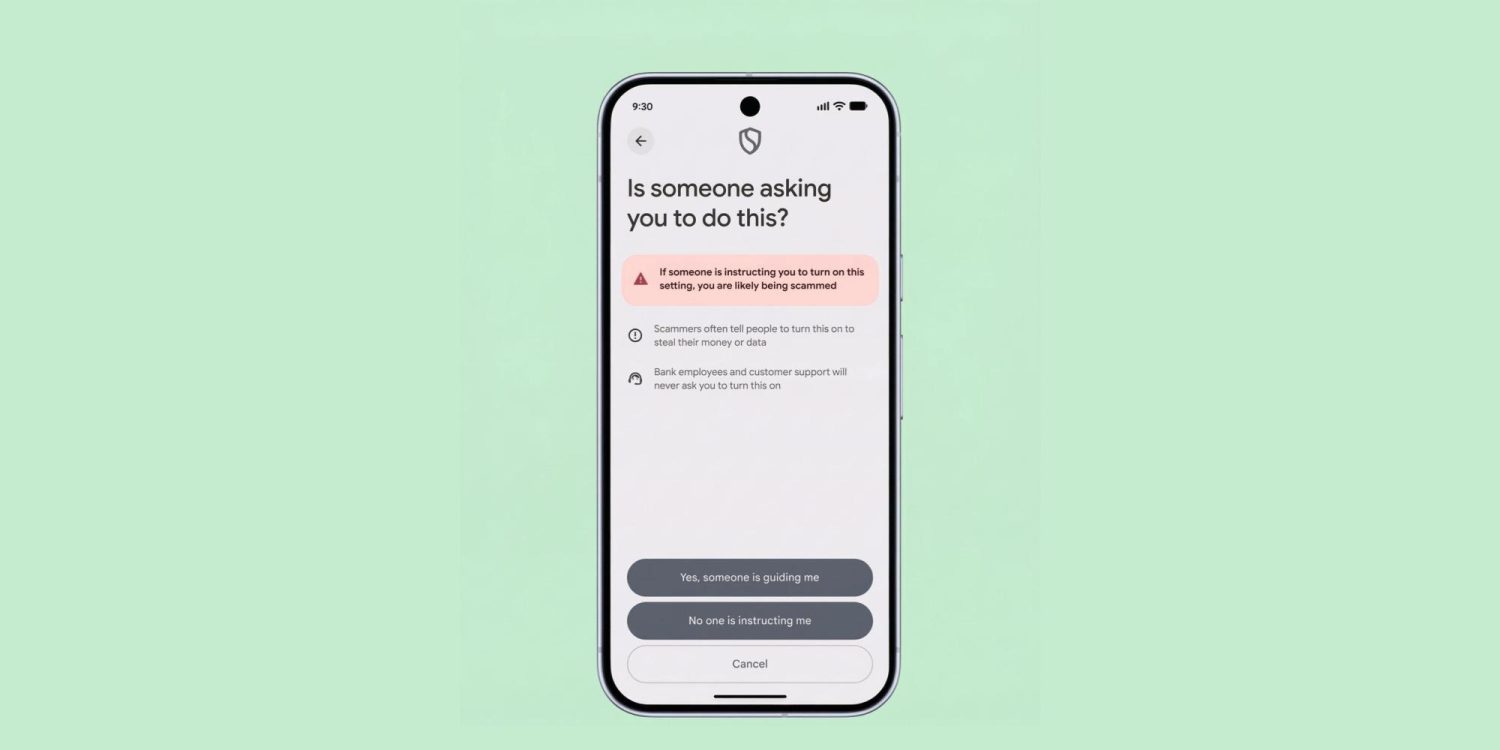
For some time now, Google has been revamping how users side-load apps on Android phones. The tech company will soon require a 24-hour waiting period before Android users can install apps from unverified developers. According to Google, this will go into effect from August and will allow users to verify their identity by going through a 4-step process with the end goal of preventing potential scams. Google calls it “Advanced Flow.”
Currently, Google sends warnings to allow “installation of apps from unknown sources” when you try to install apps from unofficial sources. It’s a one-time thing, and so will the upcoming Advanced Flow tech, but a waiting period of 24 hours. Google said the idea is to make sure that users are not being coerced into installing malicious apps.
From the information on the Android Developers Blog post, most scammers rely on coercion and fake urgency to pressure Android users into installing malicious apps. Google plans for you to enable developer mode, then confirm that you are not being coerced into turning off security protection on your phone.
After that, there’s a 24-hour waiting period and biometric authentication/device PIN entry.
It will be a one-time process, meaning after the initial completion of all required verifications, you can install unregistered apps for an indefinite period. Android users will also be able to turn on sideloading privileges for a 7-day period.
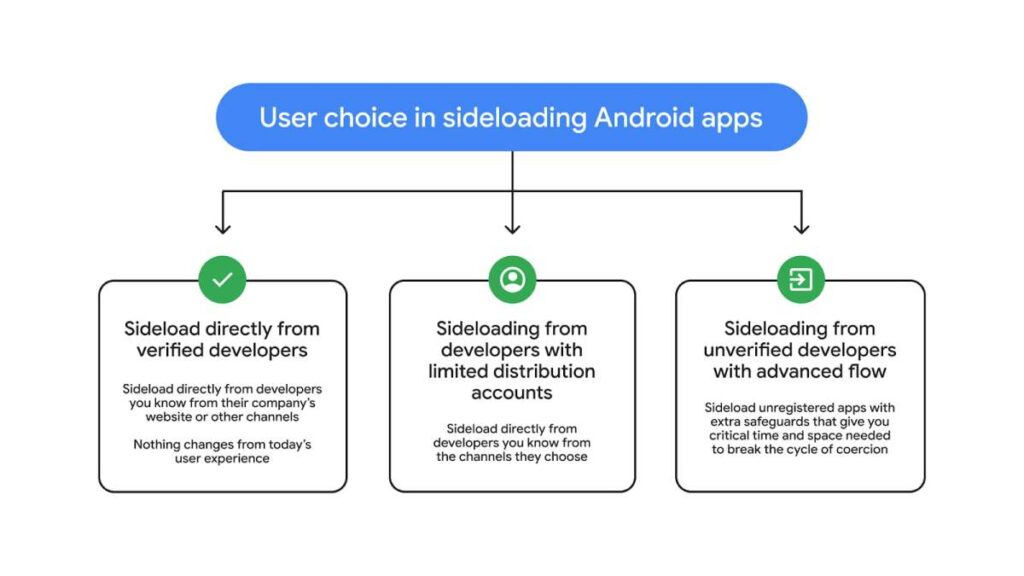
Google is currently pushing its developer identity verification program, which commences in September. Unverified developers will need to verify their identity with Google by sharing personal details such as their address, email, phone number, and a copy of their ID. There’s also a $25 registration fee.
Meanwhile, “hobbyists” and students have an option to share their apps with up to 20 people without providing their ID or paying the registration fee.
Rahman, a tech journalist and current Android Community Engagement Manager, confirmed that side-loading apps using Android Debug Bridge (ADB) will bypass Google’s advanced flow process and its 24-hour waiting period requirements.
Will you repeat Android side-loading an app bypass when switching to a new phone?
Google has recently answered this question in the new FAQ video posted on its X (Twitter) handle. As expected, you won’t repeat the process when you switch to a new phone. Meanwhile, some people now want to know what happens when a device is factory reset or what happens when you flash new ROMs on your phone. Unfortunately, there are no answers to these queries, but hopefully we will get answers in a second FAQ video, sometime in the future.
Meanwhile, there have been loads of other confirmations about how the advanced flow tech will work on Android phones. According to 9to5Google, below is everything that was said in the FAQ video.
- ADB installs are not impacted by the 24-hour waiting period, and therefore, there is no ADB command to bypass said 24-hour waiting period. Forsythe sets up the latter point as an ADB-specific question, but presumably, this also means you can’t plug your phone into your PC in order push a single ADB command to skip this portion of the process. For those first 24 hours, you are stuck sideloading with ADB.
- Apps cannot detect if advanced flow is enabled, because it’s an OS-level change.
- You need to keep advanced flow enabled to update unverified apps. This includes anyone who opts for the limited 7-day bypass window. Once those seven days are up, you’ll need to restart the process to update those applications. Forsythe says this option really exists specifically for testing apps, not for installing applications you intend to keep on your device.
- You do not need to keep developer mode on to continue installing unverified APKs. This one is huge, because it means one of the biggest concerns over this process — some banking apps not working when developer mode is enabled in settings — is moot. If the only thing you need developer mode for is to go through this specific process, you can restore your phone to normal once you’re finished with your waiting period.
- Verification does not violate developer NDAs. This one is specifically for devs, not end users, but it’s still good to know. Google says this process doesn’t involve reviewing the app.
