



Google has begun rolling out the Android Auto 16.2 beta update to a limited number of users. This comes shortly after Android Auto 16.1 exited the beta channel and became available to the public.
While the update is currently restricted to select beta testers, users who don’t want to wait for the stable release can still manually install the APK file using a trusted download link.
Android Auto 16.2 Beta Brings Bug Fixes and Media Player Changes
Android Auto has been dealing with several bugs in recent months, and Google continues to push incremental updates to improve stability. As usual, the company has not released an official changelog, making it difficult to know exactly what has changed.
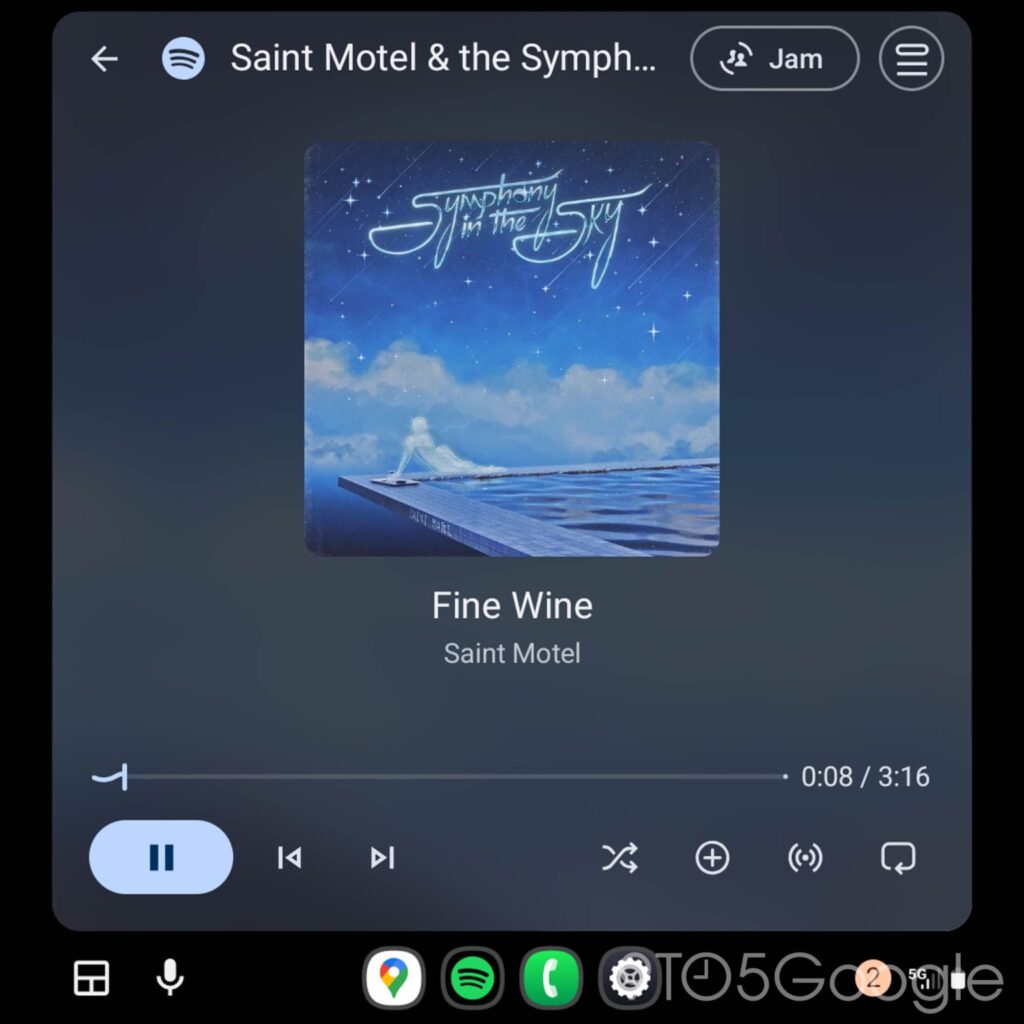
However, early adopters of Android Auto 16.2 beta report that the update addresses the steering wheel control issue and also brings back the redesigned Media Player, which was previously rolled back due to compatibility problems.
Android Auto 16.2 Beta: Version Details
Google is rolling out Android Auto version 16.2.160604. The update weighs around 38MB, though the Play Store download may be slightly smaller depending on your device.
Key details include:
- Version number: V16.2.160604
- Rollout status: Limited beta release
- Availability: Play Store (beta users only)
- Notable changes: Steering wheel fix, revamped Media Player restored
Google appears to be limiting the rollout to a small group of users to test these fixes before pushing the update to the wider public.
Should You Install Android Auto 16.2 Beta?
If you are not enrolled in the beta program, it’s generally best to wait for the stable release. Beta versions can still contain unresolved bugs that may affect navigation, media playback, or overall performance.
That said, Android Auto updates are easy to roll back. If you install the beta and run into issues, you can uninstall the update and revert to an older version without much trouble.
How to Download Android Auto 16.2 Beta APK
Android Auto 16.2 beta is available on the Google Play Store, but only for users enrolled in the beta program. If you don’t have access yet, you can:
- Download the Android Auto 16.2 beta APK from a trusted source
- Install it manually on your phone
- Uninstall the update if you encounter any issues and return to a previous version
As always, proceed with caution when sideloading APK files.
