



Google is rolling out a new Android Auto 15.8 beta update. The release is limited to beta testers, with expansion to the public in the coming days. Although you can install the APK file, you might be better off with the stable version, as no new user-facing changes were detected on this build.
There have been loads of Android Auto updates released in the past few weeks. Most of these releases focus on bug fixes, improvements, and preparing the upcoming features. The latest addition is the Gemini, which replaced Google Assistant. Perhaps the new build will bring the feature to more people and optimize the performance for those who already have it.
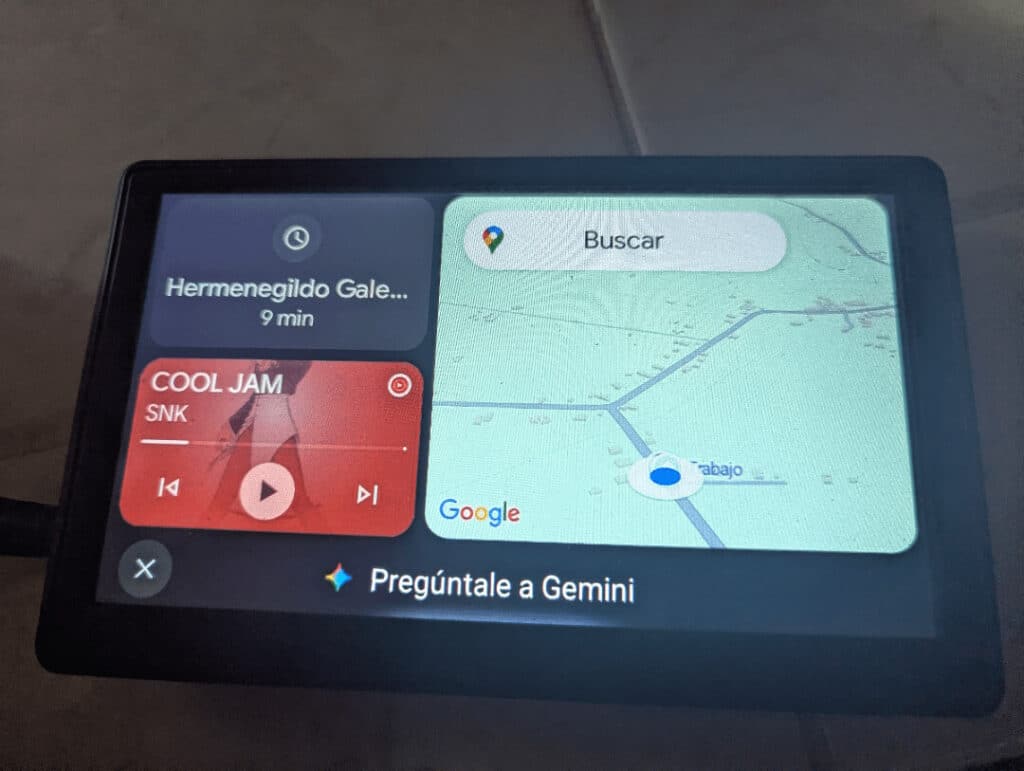
Another change is the widget, which has now been revamped. More customizations are now possible. You can access them through Android Auto settings, under EarthCompanion or Activity shortcut on some devices. With the new update, users can have more home screen customization. It includes Alignment and Height, and it allows putting the Gemini Widget on any part of the screen. Additionally, the height can be adjusted to 50% or 100% to cover the entire sidebar.
Gemini also got its first shortcut, but it’s likely to show up on Pixel phones for now. Another interesting addition is the ease of reconnecting to Android Auto. Google now allows the app to show a notification if your phone is wirelessly connected. A Wi-Fi notification text is displayed for wireless reconnect or wireless run-on. That will make it easier to troubleshoot connectivity issues.
Meanwhile, if you want to access a widget on Android Auto, there’s a step to follow.
- Download and install at least Android Auto 15.6
- Install any activity launcher app like Activity Launcher or APK Analyzer
- Launch the Activity Launcher app and search for Android Auto. On the app, search for Earth. You will see 3 activities, rub the Earth Companion
- Select the + sign in the top right corner
- Select the App you want the widgets for, Like Gemini
- This will show the widgets, limited to one, and a scale to adjust the size of the widget
- The Earth Host activity will show what the widget looks like.
You can check for the features of Gemini here.
Download Android Auto 15.8 beta update APK.
Google is rolling out a new update with version number V15.8.154804. The update size is about 35MB, and you can download it from here. After downloading the file, navigate to your device’s download folder, locate the app, and follow the on-screen prompts to complete the installation.
Of course, you can uninstall the update if you encounter any serious issues and move to an older version. We always recommend waiting for the stable release, unless you are part of the beta program.
