



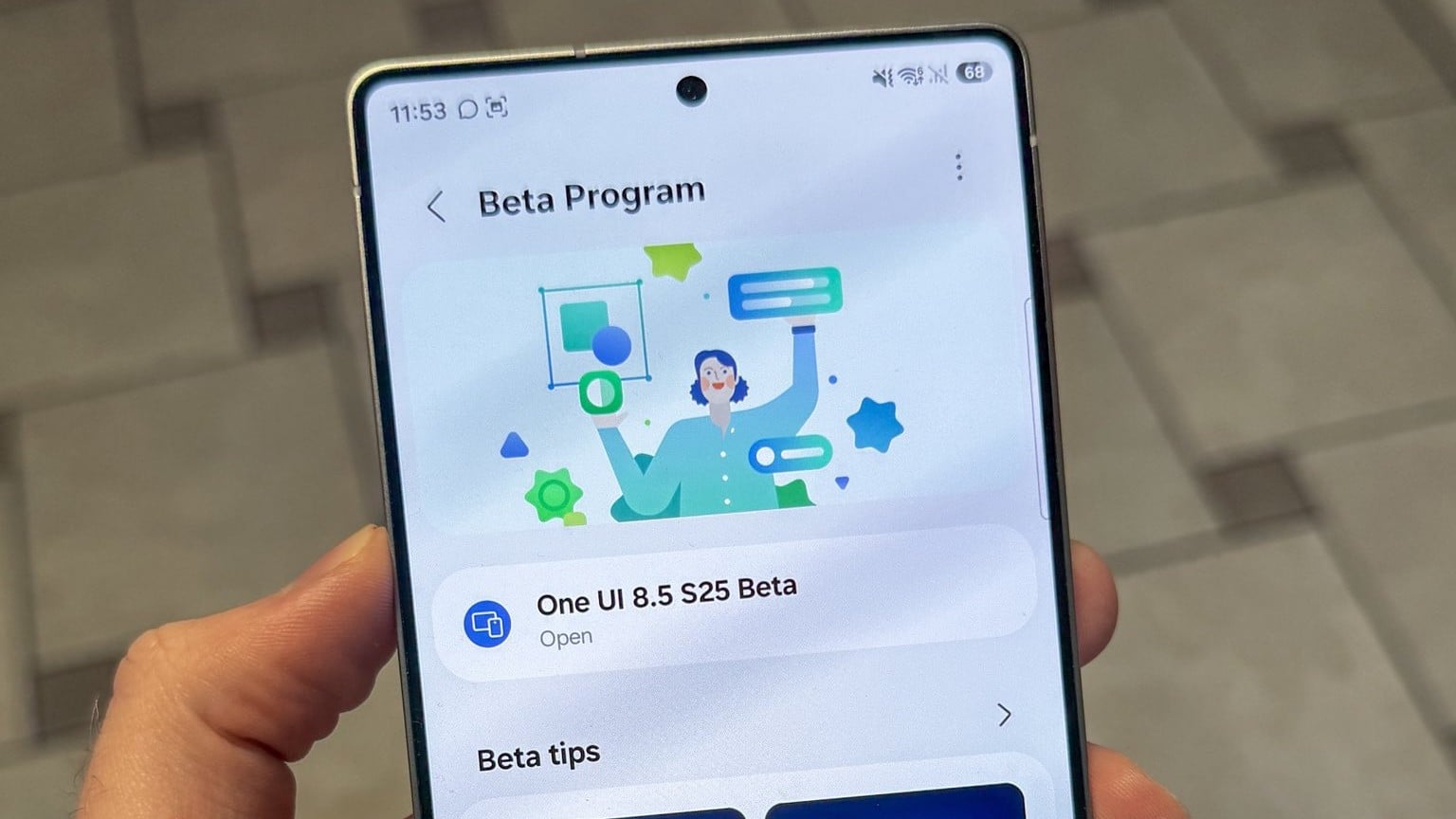
Samsung is yet to officially roll out the stable One UI 8.5 update, but a growing number of users are already testing the software through the beta program. Thanks to this early access, several new features have surfaced—one of which is a redesigned battery indicator.

One UI 8.5 was initially expected to be a minor update with limited visual changes. However, Samsung has surprised users by introducing several refinements and new customization options. One notable change is the updated battery indicator, which brings a fresh look to the status bar.
Previously, Samsung users could either display the battery percentage as a number or hide it entirely, relying on the pill-shaped battery icon to estimate the remaining charge. With One UI 8.5, the battery percentage is now permanently visible as a number. What’s new is the ability to customize whether the pill-shaped battery background appears alongside the percentage.
According to a screenshot shared by SamMobile, users can now choose between showing just the numerical battery percentage or displaying it with the battery icon in the background. This feature is currently available only in the latest One UI 8.5 beta build, meaning it’s limited to Galaxy S25 series devices enrolled in the beta program.
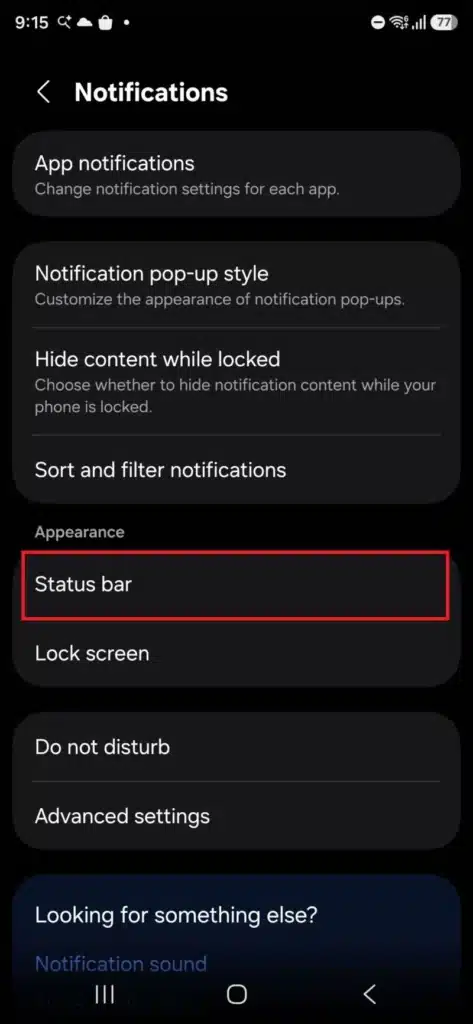

How to Change the Battery Indicator in One UI 8.5
To customize the battery indicator after updating to One UI 8.5:
- Open Settings
- Go to Notifications
- Tap Status bar
- Toggle Show battery background on or off
This lets you switch between displaying the battery percentage alone or alongside the pill-shaped battery icon. You can change this setting anytime by following the same steps.
