



Got an iPhone showing “SIM Locked” or refusing to work with another carrier? Your device may be carrier locked. Many iPhones sold through mobile providers are tied to one network, especially if they were purchased through financing plans, installment payments, or contract offers.
The good news is that you may be able to unlock a carrier locked iPhone for free without paying expensive third-party services. Here’s everything you need to know.
What Is a Carrier Locked iPhone?
A carrier locked iPhone is restricted to a specific mobile network provider. This means you cannot simply insert another SIM card and start using a different carrier immediately.
Carriers often lock devices sold through payment plans or promotional deals. Once eligibility requirements are met, many carriers allow customers to unlock their devices at no additional cost.
How to Check If Your iPhone Is Carrier Locked
Apple makes it easy to check your lock status.
Follow these steps:
- Open Settings
- Tap General
- Select About
- Scroll down to Carrier Lock
If you see:
“No SIM Restrictions”
Your iPhone is already unlocked.
If it says “SIM Locked” or displays another carrier restriction message, your network provider still controls the unlock process.
How to Unlock a Carrier Locked iPhone for Free
1. Make Sure Your Phone Is Fully Paid Off
Most carriers only approve unlock requests for devices with no remaining financial obligations.
If your iPhone is still under financing or has an unpaid balance attached to it, complete those payments first. Many users report unpaid balances can delay or prevent approval.
2. Contact Your Carrier
The official method is usually the safest.
Reach out to the carrier that originally sold or activated your iPhone and request a device unlock.
Approval timelines vary, but many carriers process requests within a few business days.
3. Restart Your iPhone After Approval
Once your unlock request is approved:
- Restart your iPhone
- Insert another carrier’s SIM card
- Or activate a different eSIM
- Return to Settings > General > About > Carrier Lock
Some users report the unlock status updates after restarting the phone or refreshing network settings.
A Free Carrier Unlock Method That May Work
Some users say older carrier locked devices can qualify for free unlocking more easily. If your locked iPhone is several years old — often around 3 years or older — try this process:
- Find out which carrier your iPhone is locked to
- Visit the carrier’s official website
- Look for options like “Unlock Device” or “Device Unlock Request”
- Enter your IMEI number
- Submit the request
- Wait up to 24–72 hours
Many carriers automatically review eligibility requirements during the request.
Requirements can include:
- Device fully paid off
- No outstanding financial balance
- Account in good standing
- Minimum activation period completed
- Also read: How to share your location with someone using Google Maps
Some users on AT&T have reported success using the carrier’s official unlock portal for older phones, including iPhones and certain Android devices.
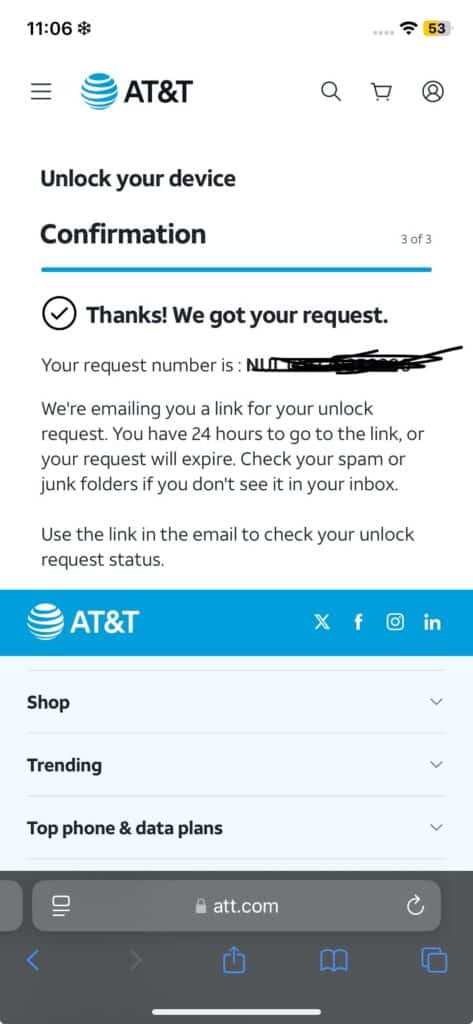
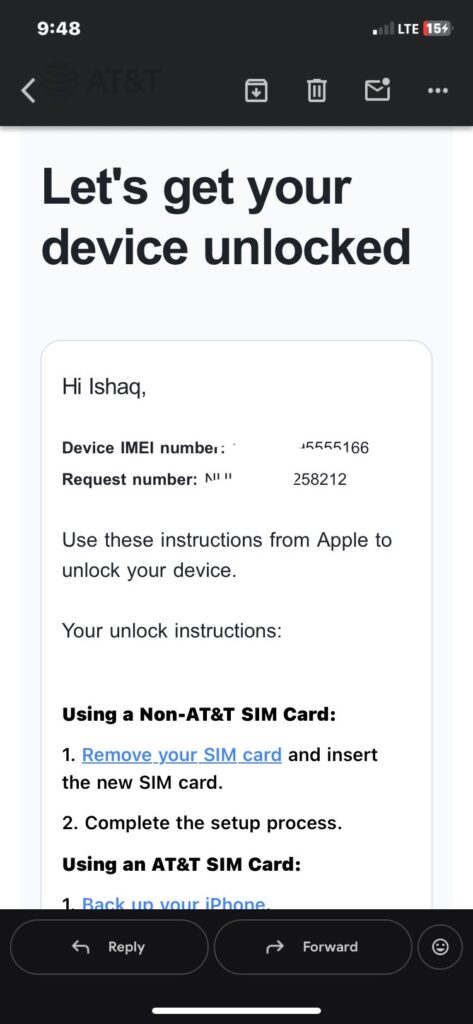
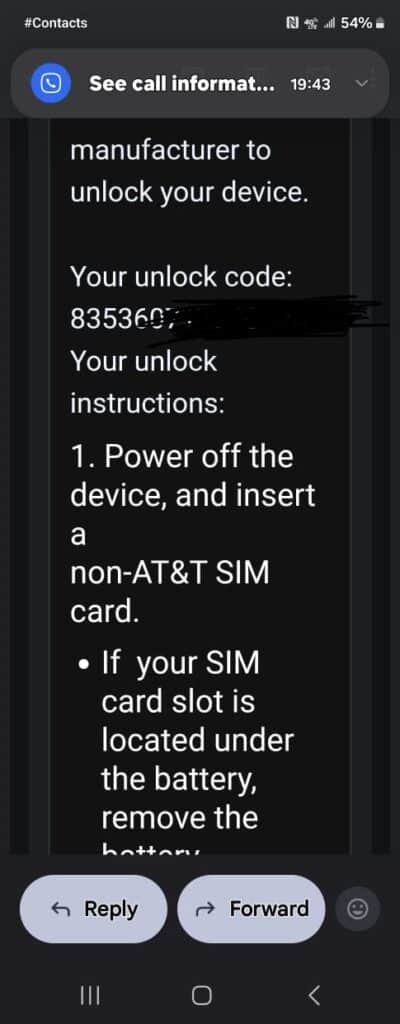
If your device is locked to AT&T and qualifies, you can begin the process through their official unlock page:
Keep in mind this is not a universal bypass trick.
Carrier policies vary, and approval depends on eligibility requirements.
How to Find Your iPhone IMEI Number
Need your IMEI for the unlock request?
Go to:
Settings → General → About → IMEI
Copy the number exactly before submitting your unlock request.
Avoid “Instant Unlock” Websites
Be cautious of websites promising instant iPhone carrier unlocks for a fee.
Some services make unrealistic claims or charge money without guaranteeing results.
Using your carrier’s official unlock process remains the safest and most reliable option.
Final Thoughts
Unlocking a carrier locked iPhone for free is possible — but eligibility matters. Check your lock status, make sure your device qualifies, and use your carrier’s official unlock process.
If your iPhone eventually shows:
“No SIM Restrictions”
You can use compatible mobile networks without carrier limitations. For many users, patience and the official process are all it takes.
source: Twitter (X)
