



About a week ago, Google released the Android Auto 16.0 beta update. After a few days, the rollout began for stable users, and now, Android Auto 16.1 beta is available in the beta channel. While only those in the beta program are receiving the upgrade via the Play Store, anyone can install the APK file using the link below.
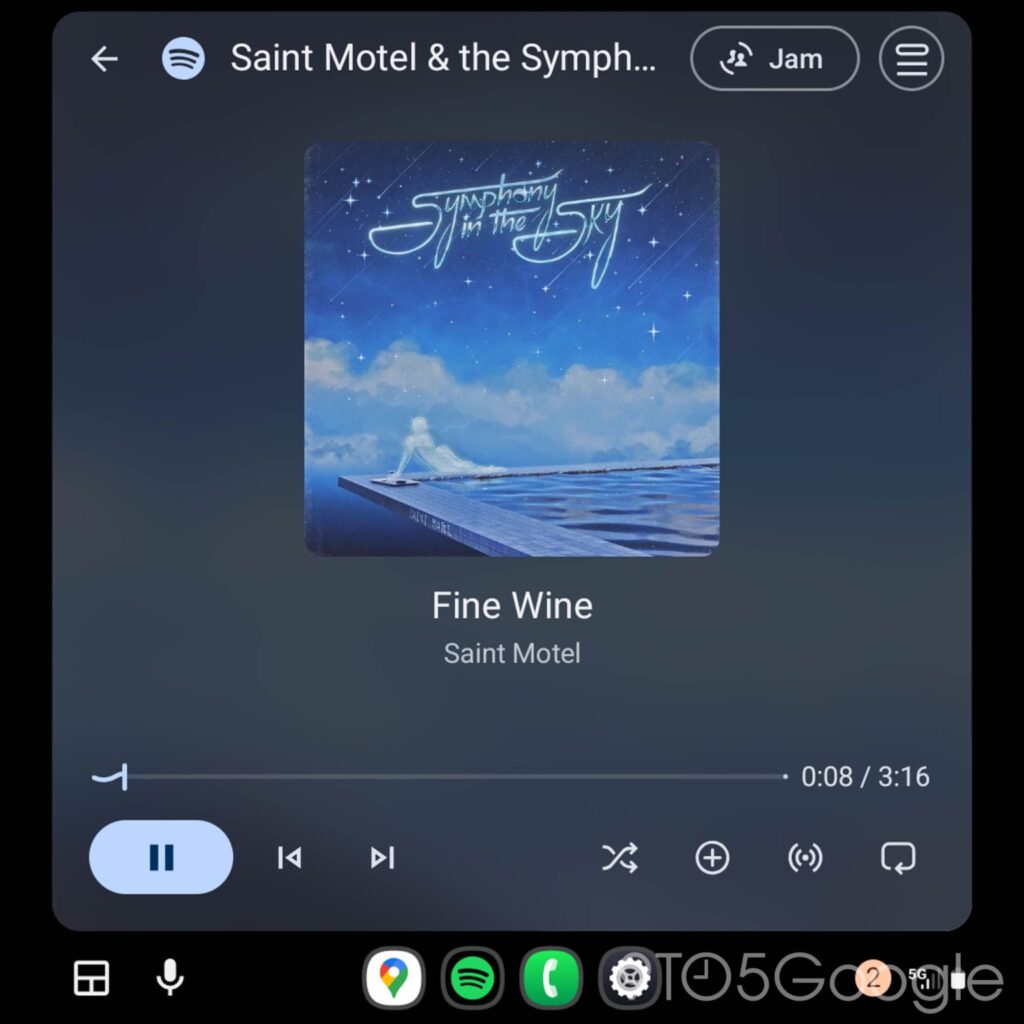
Google is working on loads of new additions for Android Auto, and it seems these new builds are building up to their releases. We have seen evidence of new features in the past releases, and we continue to do so with the latest version. Unfortunately, none of them are yet officially, but we are optimistic that Google start rolling them out in the coming weeks. Meanwhile, a new change was spotted recently: a wavy progress bar for media apps.
Android Auto 16 stable revamped the media player, making some tweaks to the placement of the buttons. We understand that a wavy progress bar was also introduced, which works on YouTube Music and Spotify. For now, those are the only things we can confirm about the recent releases, and hopefully, the new Media Card feature will follow up soon.
Details of Android Auto 16.1 beta update
Google is rolling out a new build with version number v16.1.1603. The new update weighs about 38MB, but is way smaller if you are installing via the Play Store. Unfortunately, we cannot confirm whether it addressed any new features, especially the issue with the traditional Assistant. Perhaps more people can use the Gemini AI after the recent update.
While we are waiting for confirmation, we recommend installing the update when prompted. We have seen many people running the build, and so far, there have been no issues with bugs. However, you can uninstall the update and rollback to the previous build if you notice any problems with it.
How to download Android Auto 16.1 beta update
Google has released the update via the Play Store, exclusive for beta testers. Of course, you can install the APK file without being part of the program without any issues. To do that, head to this link and download the APK file.
Head to your device’s download folder and tap on the file to start the installation. Once completed, launch the app and start using it. If you encounter any issues running the app, please let us know.
