



Google has started rolling out the Android Auto 17.1 Beta update just days after releasing the stable Android Auto 17 version to users worldwide. The latest beta release is currently available to members of the Android Auto beta program, although interested users can also sideload the APK file manually.
As with previous beta releases, Google has not published an official changelog for the update. However, early reports suggest that the new build focuses primarily on bug fixes, stability improvements, and performance enhancements rather than introducing new user-facing features.
Android Auto 17.1 Beta Brings Bug Fixes and Better Performance
The Android Auto 17.1 update appears to address several issues that have recently affected users. Some Android Auto users have reported random connection drops, Gemini-related problems, broken voice commands, and occasional app crashes.
While Google has not officially confirmed the fixes included in this release, the company typically uses beta updates to resolve known bugs and improve overall system stability. Users experiencing connectivity issues or Gemini-related glitches may benefit from installing the latest beta build.
The update also improves performance as Google prepares Android Auto for upcoming features announced during Google I/O. One of the most anticipated additions is support for video apps on Android Auto, which will only function when the vehicle is parked.
Google has already demonstrated YouTube Audio support on Android Auto, and many users are now waiting for full video playback capabilities to become available.
Android Auto 17.1 Arrives as Google Expands New Features
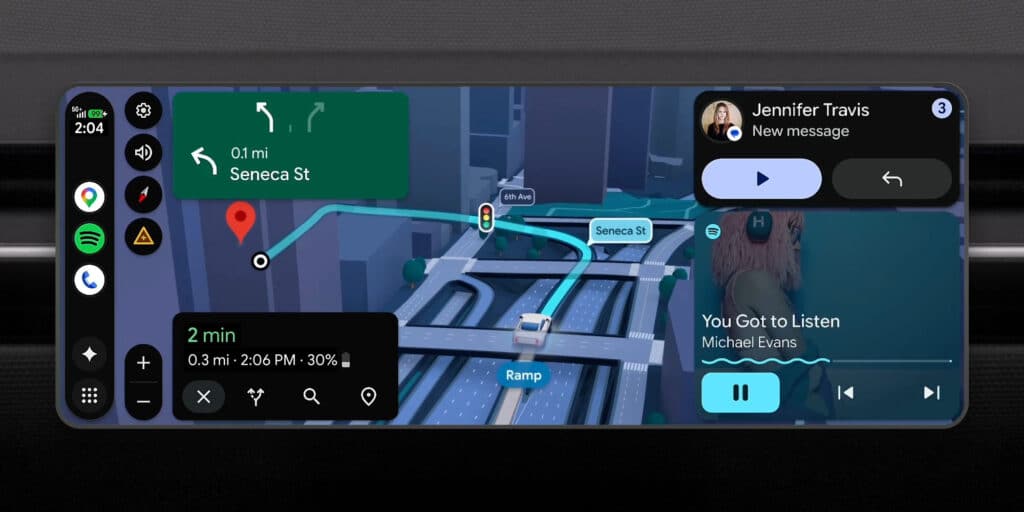
Alongside the Android Auto 17.1 rollout, Google is reportedly enabling a redesigned hazard alert interface in Google Maps for Android Auto. The new design prevents alerts from blocking important navigation information, making maps easier to read while driving.
The feature is gradually rolling out to users, although it remains unclear whether it is tied to a specific app update or being activated through a server-side change.
To improve the chances of receiving the latest features, users should keep both Android Auto and Google Maps updated to the newest versions available.
How to Download Android Auto 17.1 Beta
Google is distributing the Android Auto 17.1 Beta update through the Google Play Store for registered beta testers.
If you are enrolled in the beta program, simply visit the Play Store and update Android Auto. Users who are not part of the beta program can manually install the update by downloading the APK file from here.
After downloading the APK, locate the file in your Downloads folder, tap it, and follow the on-screen instructions to complete the installation.
With improved stability, bug fixes, and preparations for future features, Android Auto 17.1 Beta is an important update for users who want the latest Android Auto experience before the public rollout.
