



Google has officially started rolling out Android Auto 17.0 beta, giving early users access to the newest version of its in-car platform. While a jump to version 17 sounds like a major upgrade, users expecting dramatic changes may need to wait a little longer.
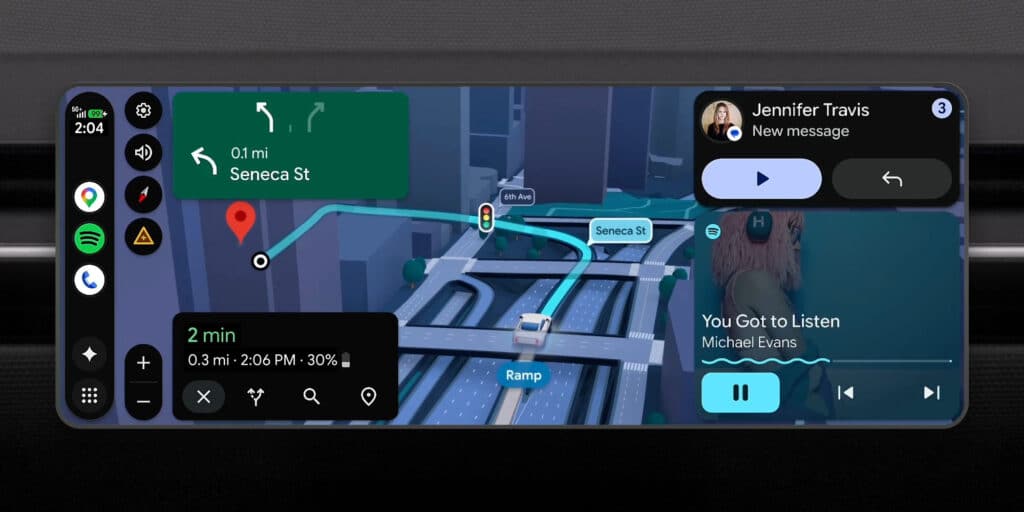
The Android Auto 17.0 beta mainly focuses on under-the-hood improvements, stability enhancements, and performance refinements rather than introducing major user-facing features. Google continues to use these updates to prepare the platform for larger additions planned later in 2026.
Currently, Android Auto 17.0 is available only through the beta channel. Users outside the testing program can manually install the APK, but beta software often carries a higher chance of bugs and unexpected issues. Google usually pushes stable Android Auto releases within days if no serious problems appear during testing.
Android Auto 17 beta update prepares the app for what’s coming
Google recently confirmed that Android Auto will receive widget support, allowing drivers to access information more quickly without opening full applications. Weather updates, smart home controls, photos, and contacts are expected to become directly accessible from the Android Auto interface. The system will reportedly use a swipe-based design integrated into the Coolwalk experience.
Another major addition coming later this year is support for video apps. YouTube is expected to become one of the first supported platforms, bringing video playback to compatible vehicle displays. For safety reasons, playback will only work when vehicles are parked, while moving vehicles will automatically switch to audio-only mode.
Google is also expanding Android Auto with deeper AI integration and broader display optimizations designed for modern vehicle screens. Industry observers see these changes as Google’s biggest Android Auto evolution since the Coolwalk redesign.
For now, Android Auto 17.0 may look like a small update, but it lays the groundwork for what could become one of Android Auto’s biggest years yet.
Download Android Auto 17 beta APk file here
Google is rolling out the latest version via the Play Store. You can join beta program here to receive the update. Otherwise, you should follow this link and download the APK file. After that, head to your device’s download folder and locate the files. Click on it and follow the screen prompt to complete the installation. Ensure your device is running Android 9 at least before installing the new update.
